How to make dogs drive cars and users click buttons

My latest post on Keepitusable about behaviour is now live and it’s a good one!

I explain the importance of understanding, researching, analysing and changing behaviour. Using BJ Fogg’s behaviour model I look at what contributes to a desired behaviour occurring or failing and how we can turn a user into a buyer through analysing the psychological buying process pyramid.

Here’s an extract from the article:

“Who would have thought that dogs could be taught to drive cars or that double the amount of users would click a button just through a simple design tweak.

Behaviour is fascinating. Not only can we research, analyse and understand behaviour, it is possible to then actively and deliberately change it. It isn’t easy or quick but if you get it right the results can be incredible. But human behaviour has deep, complex motivations and meanings which is why it’s vitally important to have at least one person involved in your project who has a solid background in psychology.

A good starting point for understanding behaviour is the work of BJ Fogg. His behaviour model states that three elements must converge at the same moment for a behavior to occur: Motivation, Ability, and Trigger. When a behaviour does not occur, it means that at least one of these key elements is missing….”

BJ-Fogg-Behaviour-model

Read the full article >>>

Information Architecture (IA)

Have you ever been to a website specifically to look for something and no matter how hard you look you just can’t find it? Most people will give up within a few seconds, hit the back button and go to a competitor. This is why your Information architecture is incredibly important – get it right and you will keep more people within your site, lowering your bounce rate and improving your conversion.

What is information architecture?

In simple terms, it’s about structuring your content to feel intuitive and logical to the end user.

An example of how not to do it

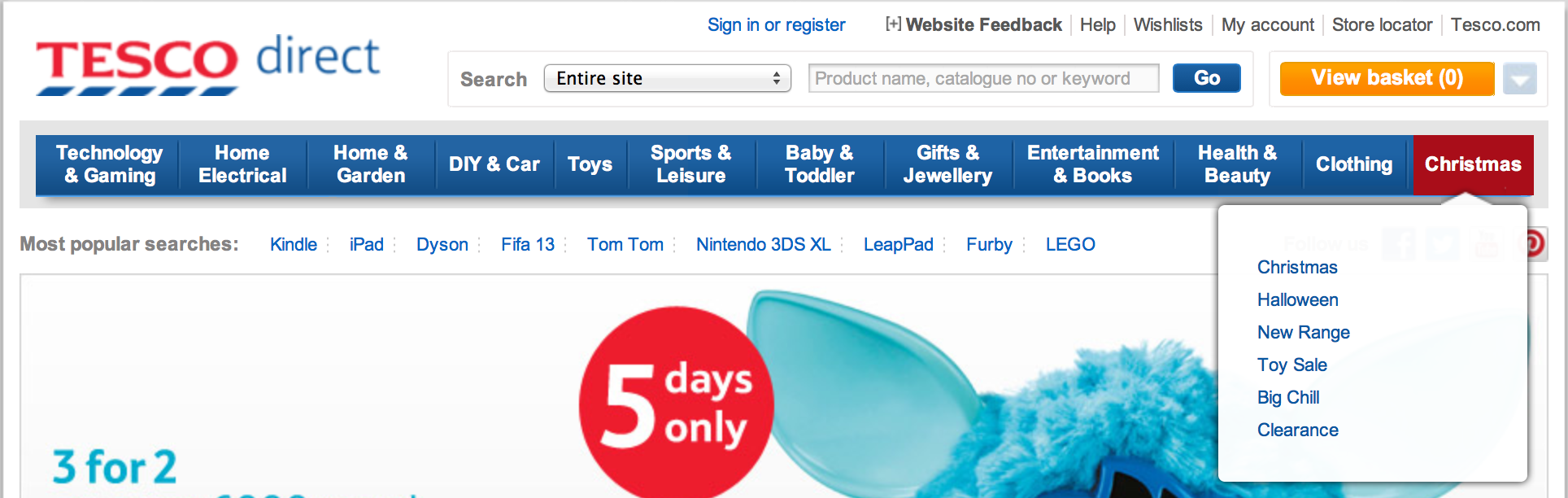
Tesco Direct have placed Halloween items within the heading ‘Christmas’ on the navigation bar. Users will struggle to find this as it makes no logical sense – halloween and christmas are completely separate occasions.

tesco ux usability

If a visitor to your website has the intention of browsing halloween things, they will already have expectations of where halloween things will be. Your aim is to try to understand their expectations of where they’ll find halloween related products. Only when you understand this, can you position it in the optimal place.

Card Sorting to create intuitive IA

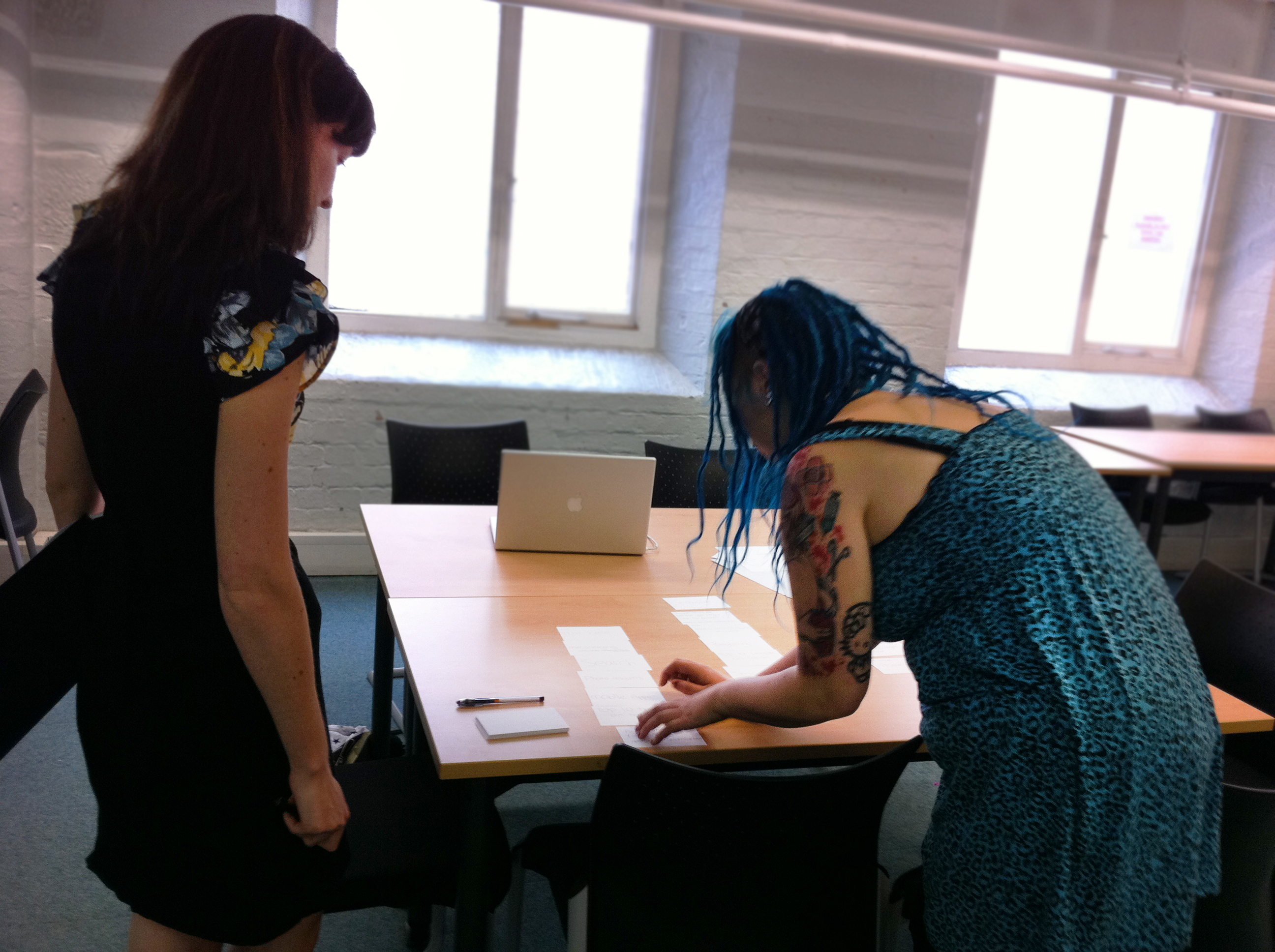
One of the methods I employ to help create intuitive Information Architecture is Card Sorting. It’s an activity carried out with users (i.e. your target audience) using labelled cards to group and organise pages of content. Users categorise the pages in the way that makes sense to them and they can use existing grouping or create their own. What this enables us to do is to see the structure of your site or software from the user’s point of view – we can see and understand their mental model.

Card sorting exercise in action:

card sorting with userIf you’d like to understand more about how reviewing your IA can help your business or if you’re curious about card sorting please don’t hesitate to get in touch.

user experience (ux) design and usability testing agency

New Next Gen Macbook Pro

apple-macbook-pro-wddc-2012

“It’s without doubt the best computer we’ve ever built!”

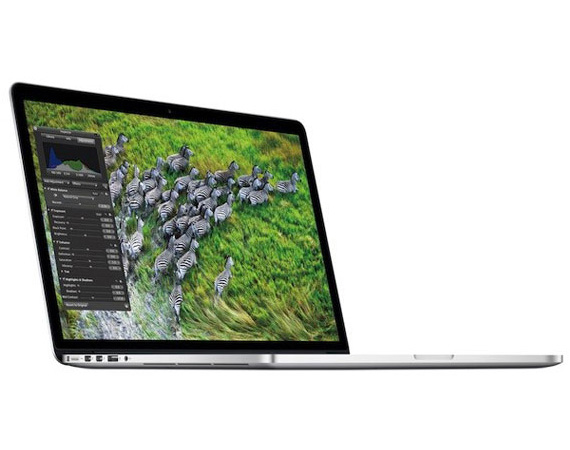
If you’re an Apple fan then you’re probably feeling pretty excited right now. WWDC was held yesterday (you can watch it here) and Apple have finally launched the next generation of Macbook Pros. Thankfully they’ve met and exceeded most people’s expectations, with the new Macbook Pro showing off an incredibly slim casing, superb retina display, high performance and attention to little details such as the lowering the noise of the fan (yes seriously!). I don’t know of any company that would value the user experience to such detail.

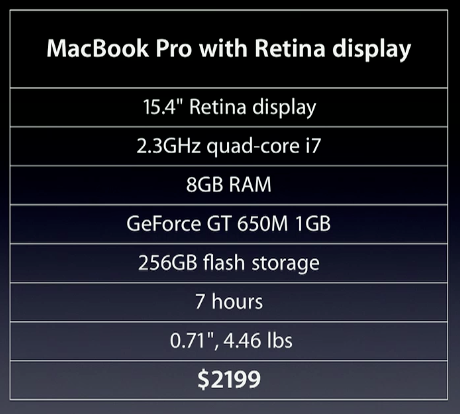
New Macbook Pro Overview:

new macbook pro spec
It’s very impressive and I’m already reaching for my purse. The question is whether to wait until July which is when Mountain Lion is released. There’s a free upgrade for anyone purchasing the Pro if you buy now, or like my other half plans to do, you could wait until next month which also gives Apple some time to solve any issues there may be with the new hardware design.

I’m not as impressed with iOS 6. It may surprise you to know that I’ve never owned an Apple mobile, despite my love of all things Apple (well, except iTunes which needs a complete redesign). For most people, their mobile is an extension of themselves, of their own personality. I find the iPhone form factor to be quite masculine. It feels expensive and high quality but I just can’t connect with it. There is one thing that keeps pulling me to Android and that is Widgets. As far as user experience is concerned they enable a shorter, more efficient and effective interaction. I can simply turn on my backlight and I instantly know the weather, the latest news, read a note to myself (usefulness), and I can see a photo of my other half with the cats (emotional attachment, love). It all adds up to a nice experience. iOS may have better usability and apps than Android, but I personally believe they need to add more fun, emotion, usefulness and wow factors into their mobile desktop to have increased emotional appeal.

Getting back to the new Macbook Pro, here are a few quotes from WWDC relating to User Experience that I wholeheartedly agree with.

“To create something that’s genuinely new, you have to start again and I think with great intent you disconnect from the past.”

“If you never change anything then what you can engineer is kind of incremental. But when you’re willing to change things then you kind of open up a whole new world of design.”

BBC Home page research and redesign

I conducted a quick piece of research on the BBC Home page as part of an event called BBC Connected. Did you know it’s the third most visited home page? Yet only a very small percent of visitors actually use it? As our research discovered, most people bypass the page completely, preferring to use the navigation bar or a direct url (usually saved as a bookmark). Here, we share our findings and a few of our design proposals to improve the user experience of the BBC Home page, in particular under-served audience(s).

How do you use the BBC website? Do you ever look at or click on items on the home page? Have you used it more or less since the last redesign? I’d love to hear about your experience. Share your story using the comment box below.

Research by Keepitusable.com

Keepitusable Shortlisted for 2 Business Awards

2012 salford business awards
You may or may not be aware that I run a Manchester UX and Usability Agency called Keepitusable (keepitusable.com). We started the business in late 2010 after lots of people told us we should! So, the business was built very much on our existing reputations as great designers and user researchers. I’m predominantly the lead on anything to do with users, research, psychology, ergonomics. Ricardo has more UX and UI design experience than anyone I know so he leads all our design and prototyping work.

Our magic is the unique mix of our skills and experience plus our equal male/female balance that gives us the ability to see things more completely from the audience’s perspective.

We’re really pleased to have made the final four for 2 Salford business awards; Rising Star and Entrepreneur. It was very competitive and we had to really prove the value of user experience during the interviews. This can be quite tough as any UXer will know! At first it was clear they thought we were developers or graphic designers which is understandable as people always try to make sense of something new by comparing it to what they already know – mental models anyone?

Please keep your fingers and toes crossed for us and hopefully we will win at least one of the awards. The finalists are incredibly diverse so it will be interesting to see who wins! 

5 Reasons Why Tablet Growth Will Soar This Year

mobile and tablet growth


The above chart clearly shows both mobile and tablet growing over the coming years. However, the growth shown for Tablets is fairly steady. I am largely in disagreement with this. I think the growth of Tablets will be phenomenal over the next 2 years for these reasons:

Reason 1: They’re the lazy man’s computer.

People talk of mobiles as being the lazy man’s computer because you always have your phone on you 24 hours a day and it’s much quicker to quickly search for something than to power up a computer. However, with their small screens, mobiles aren’t the most pleasant way to experience websites, to look at something with friends/colleagues, to view larger amounts of information, to read an e-book, etc.

Reason 2: They’re the portable computer

Yes I know mobiles are portable computers too but once again they lack that larger screen which is necessary for so many things. I was in a coffee shop yesterday and a group of students were sat at the table next to me. One of them had an iPad and was using it to show his friends various things. It became a social experience which would be much more difficult on a small screen. Within the business world, tablets provide a more portable, more impactful means to showcase work to clients.

Reason 3: Statistics are already starting to show phenomenal growth

Tablet sales rose an incredible 60% in the first quarter this year for Verizon Wireless.

Reason 4: They’re the ideal device for children

Children love touching and interacting with things directly so tablets are ideal for engaging them and helping them to learn whilst also having fun. Research by Nielsen found nearly 70 percent of children in households with tablets use them and they are often used outside of the home to keep children entertained on journeys.

Reason 5: They’re cheap!

The price is incredible. Cheaper than the average smartphone and computer. With offers like the one below surely Tablet growth is set to soar!

really cheap tablet

Google concept augmented reality glasses “Project Glass’

Augmented reality is already making waves in the mobile app arena but it seems Google are the ones determined to take the eyewear market by storm. It’s something I first looked at years ago whilst at university. Back then it was very much thought of as a useful tool rather than a fun tool (isn’t that always the way with universities?). Information would be overlaid onto real life objects to make them more useful and interactive. For example, when walking down the street, the road you need to take to get to your destination may appear to be a shade of green.

Another project involved being able to see what an item of clothing would look like on you by simply holding up a card to a mirror. An image of the item was then superimposed onto the body via the mirror. It looked pretty rubbish at the time to be honest but that was many years ago now and I know this technology is still being tested. I’m betting this would appeal to males in particular – anything to avoid the changing room hey guys!

The concept glasses video by Google is quite different to this. The information appears to be much more distracting, requiring attention and user focus. I can’t imagine being able to walk down the street and successfully read a text message without tripping over something. My point is that although this is very much a concept, there is a great deal of user interaction, human factors and ergonomics issues that will need to play a major role within the design to ensure the glasses are not just fun and useful but also safe. Google have announced public tests of the glasses are commencing.

The big question is what are Apple going to do? 

I hope we don’t have to wait too long as this is technology I need want right now!