Use your skills to help others AND be happier

[tweetmeme source=”usabilitygal” only_single=false]
keep hope maternity open keephopematernityopen

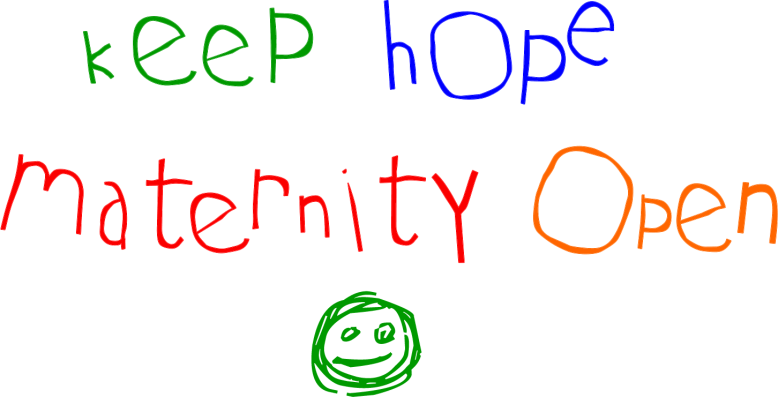
I’ve recently been helping a local campaign www.keephopematernityopen.com to keep a much loved and needed local maternity unity open. We created for them a logo, brand, website, posters and sorted out their social media. I’ve really enjoyed being involved and helping out a good cause which is why i’m writing this post.

I’m one of those people who actively avoids people with clipboards in the street. You know they want your money and you know that as soon as you stop to talk to them you won’t be able to say no (it’s that or you feel guilty and horrid for the rest of the day). So you avoid eye contact, cross the street, pretend to talk on your mobile, anything to avoid them!

Whereas helping a charity or a campaign directly, being engaged and seeing the results of your efforts is a completely different and more fulfilling experience. According to research by Harvard Business School (2009) ‘giving makes people happier, such that happiness and giving may operate in a positive feedback loop (with happier people giving more, getting happier, and giving even more)’. I guess that’s why Scrooge is so miserable despite all his money!

You don’t need to give a lot and it needn’t take up much of your time. We’re all good at something. Why not offer your skill to a local charity and see how you get on. They’ll probably be more grateful than any of the clients you’ve ever worked with and you’ll feel much more satisfaction.
What’s on your ux bookshelf?

[tweetmeme source=”usabilitygal” only_single=false]

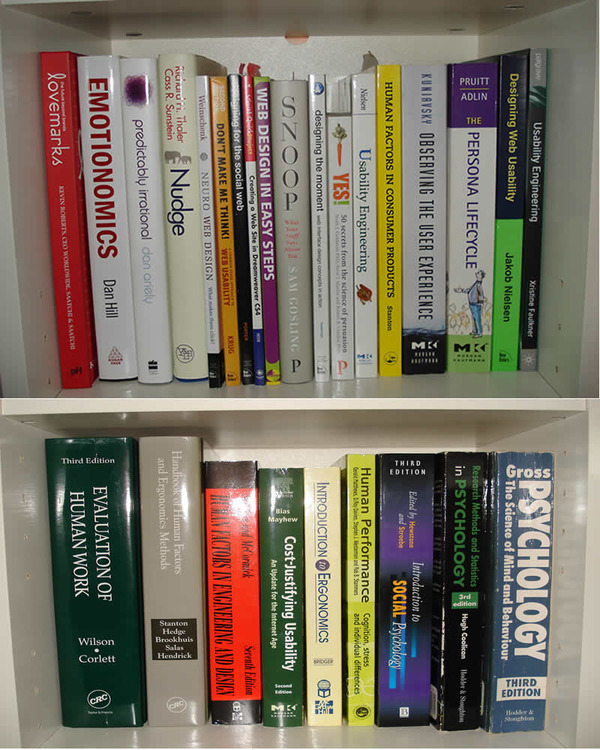
I’m a bookworm. My boyfriend has even nicknamed me ‘The Bookinator’. So it figures that I have a fair few usability, ux, psychology and design books on my bookshelf. In the photo below are just some of my ux books (they don’t all fit on my bookcase!).

my ux bookshelf

I’d recommend for ux beginners:

Don’t Make Me Think!: A Common Sense Approach to Web Usability
Excellent introduction to usability explained simply with clear and fun diagrams. Short book that you can read in a couple of hours.

My personal favourite:

Neuro Web Design: What Makes Them Click? (Voices That Matter)
Very clever techniques for web design. Uses lots of persuasion principles and social proofing elements. I have about 20 post-it notes stuck in this one!

Prettiest book:

Lovemarks: The Future Beyond Brands
This book is beautiful. Large inspiring pictures, brilliant graphic design work, key points easy to identify… The only downside is the book’s message seems to be duplicated quite a lot within the content. It’s still a joy to dip into and has good examples to demonstrate the points it makes.

I wish I hadn’t bought:

Handbook of Human Factors and Ergonomics Methods
Warning! This book will bore the pants off you. It’s written in the most long winded technical manner that aims to bore even the most devoted ux professional.

The book i’ve had the longest:

Psychology: The Science of Mind and Behaviour
This book is like an old friend. It’s been with me since university and has all the damage to prove it, including lots of crinkley pages where my old uni windowsill leaked all over it. This book saw me through my coursework and exams and I just find the content fascinating. Timeless.

So that’s what’s on my ux bookshelf. Now it’s your turn.
What’s on your ux bookshelf?

10 Handy hints to check a ux agency or freelancer is genuine

[tweetmeme source=”usabilitygal” only_single=false]

As UX and usability become more well known, there is an unfortunate downside for clients and that is cowboys. These are people who have perhaps read a UX book and decide to set themselves up as experts. To help you spot the expert from the amateur i’ve created some handy hints. You don’t need to do all of these, just enough to satisfy you that the agency or freelancer knows their stuff and is genuine.

1. Check out their website Is it easy to use? Does it have clear call to actions? Are they using good copywrite? Does the layout of the text aid scanability? Is the navigation clear? Is the font readable? They should be practicing what they preach. If the site is badly designed, alarm bells should ring.

2. Read the About Us section Are they easily identifiable? (photo and name), Can you check their reputation and credibility via links to LinkedIn or Twitter? Read their experience closely – do they have professional qualifications and experience or are they a marketing company who have read a few books on the subject?

3. Check their Twitter posts Do they contribute to the world of usability by tweeting useful links? Do they help other people? Do they seem credible?

4. Check their Twitter followers Are they following and been followed by thousands of people? (they may have been on a mass following mission). Check who’s following them – if there are other agencies and usability professionals following them, they probably post good, knowledgeable tweets.

5. Read testimonials Get a feel for the type of person they are and how they work by what other clients thought.

6. Look at their previous work Ask to see their portfolio. This will give you a good idea of the standard of their work and what they are capable of.

7. Read their blog Owning and updating a blog deserves credit. It takes a lot of time and effort and shows it is important to them to give back to the profession. You can get a feel for the person and what they’re passionate about by what they write and the style they use.

8. Check their Facebook page How many people have joined their page? What have people posted on the wall?

9. Engage with them Email or talk to them. Prepare your questions if necessary.

10. Meet them Prepare your questions and more importantly see if you get along, after all, none of us want to work with people who we don’t click with.

del.icio.us Digg it Facebook Linked in Stumbleupon Twitter

The first usability book I ever bought

[tweetmeme source=”usabilitygal” only_single=false]

For a while now i’ve been wondering where my old favourite usability book was, then whilst I was clearing out an old box of books I found it! Christine Faulkner’s The Essence of Human-Computer Interaction. It was the first usability book I bought when I was at uni and it remained my favourite right up until I discovered Steve Krugg.

It’s a little dated now, however it’s still brilliant. It has all the basics you need to know, it reads easily and being a thin book it’s great as a quick reference tool. I always preferred to sit down and read it compared to the heavy going Jenny Preece and Alan Dix HCI books that were around when I was at uni!

Although it’s 13 years old, it’s still a good read, especially for the beginner and you can pick it up from just 78p on Amazon! Bargain!


Amazon fails on heuristic ‘user control and freedom’

[tweetmeme source=”usabilitygal” only_single=false]

Yesterday I decided to have a clear out and sell some of my stuff on Amazon. I prefer selling on Amazon to Ebay as it’s much quicker and easier – no need to mess around taking pictures of items and entering lots of details.

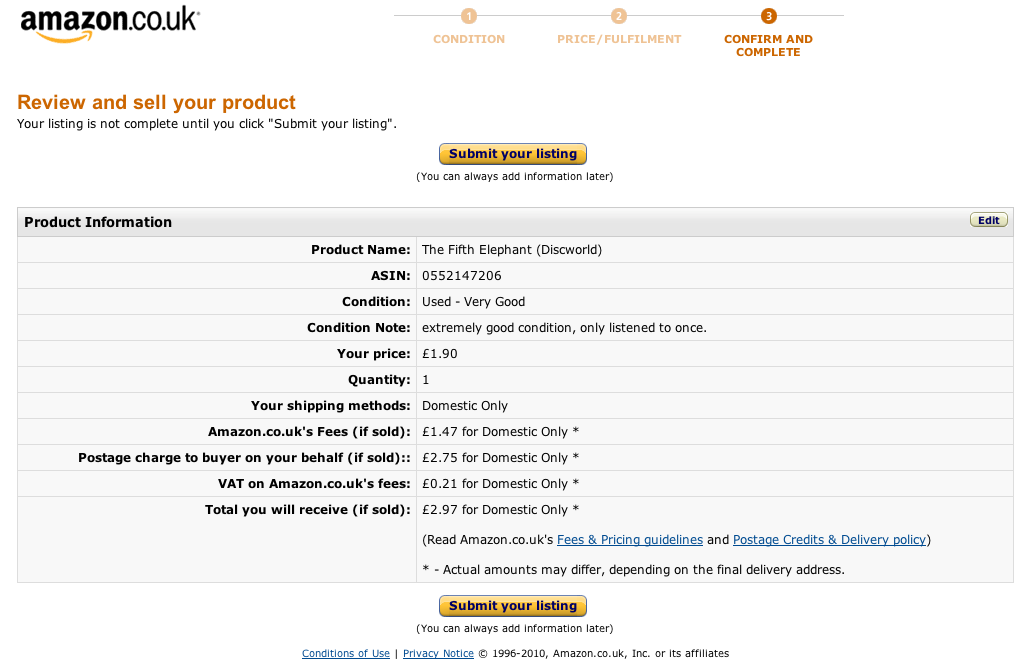
One of the items I was intending to sell wasn’t worth much, and my planned sell price was only £1.90. So when I came to the following screen and saw the fees Amazon would charge me for placing this listing would be £1.47 I decided it wasn’t worth the effort and to cancel the listing.

Here’s the screen:

amazon screenshot

How would you cancel this listing? (click on the picture to enlarge it)

What I expected to see here was some kind of button (or hyperlink) saying something along the lines of ‘cancel listing’, ‘don’t submit’, even ‘back’ would have been better than nothing. When I couldn’t see anything to do this I tried pressing the amazon.co.uk logo, thinking this would take me to the home page but it was inactive at this stage.

Nielsen’s Heuristic ‘User control and freedom’

One of the famous usability heuristics states that you should always let the user have control and freedom over their actions. There should always be a clearly marked exit route in case the user doesn’t want to progress further or if they have unintentionally entered a screen and they need to go back.

There is a useful usability evaluation checklist for websites from infodesign. Using this checklist, we can identify three points where amazon could improve this particularly screen:

  • There should be a clearly-identified link to the Home page
  • The user should be able to able to cancel all operations
  • There should be a clear exit point on every page

How many UX people does it take to lock a door?

[tweetmeme source=”usabilitygal” only_single=false]
We experienced the door lock from hell this weekend. The simple task of locking a bedroom door turned into major STRESS!

Background:
Attending wedding. Time VERY tight. Going to be late if don’t leave immediately.

The problem:
Hotel room door will not lock!

Current mental model:
Put key in lock……turn key……door locks

What actually happens:
Put key in lock….turn key….try putting key in upside down…still won’t lock…turn key again…..open, close door….keep turning key….slam door….shake door handle… after several attempts and visions of entering church after the bride, I rush downstairs to get help, leaving UX boyfriend with Satan’s lock.

Solution:
Receptionist casually informs me of a small panel attached to the INSIDE of the door explaining how to lock the door, which apparently can only be done from the inside. The fact that this notice is there shows that this must be a common problem. But it’s on the inside of the door! People lock doors from the outside as well as the inside.

Skill required:
It turns out that locking the door isn’t as simple as following the instructions on the panel. Skill is also required. The instructions say to twist to lock, however, after much trying we discover that you also need to hold the handle stable with the other hand to get the lock part to turn.

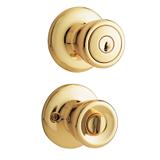
picture of lock

Danger!
Not only is this locking method not intuitive and difficult to do but it also increases the risk that the guest will leave their key in their room as they aren’t required to use the key to lock the door.

So, how many UX people does it take to lock a door? 2 with the help of a hotel receptionist already familiar with the method of locking.

Did we make it to the church on time? Unfortunately, we arrived after the bride (upon seeing the empty bridal car, panic and cursing of the hotel door ensued) but we managed to sneak into our seats before she walked down the aisle. Phew!!!